
TrackBin
One plan
- Dumpsters
- unlimited
- Users and drivers
- unlimited
- Customers, job sites and dispatches
- unlimited
- Map, routes, documents and alerts
- included
- Loading your Excel file
- free
Total per month$89
Or $890/year. 14 days free, no card.
There is a version for Español With the whole site in that language.
There is a version for Español (México) With prices in MXN and sign-up for that market.
There is a version for Español (Argentina) With prices in ARS and sign-up for that market.
There is a version for Español (Colombia) With prices in COP and sign-up for that market.
There is a version for Español (Chile) With prices in CLP and sign-up for that market.
There is a version for Português (Brasil) With prices in BRL and sign-up for that market.
And when it has to come back. On the day it is due, you hear about it first, not the customer who wants it off the curb.
$89/month, everything unlimited. No card needed to try it.

RO 014 · due today
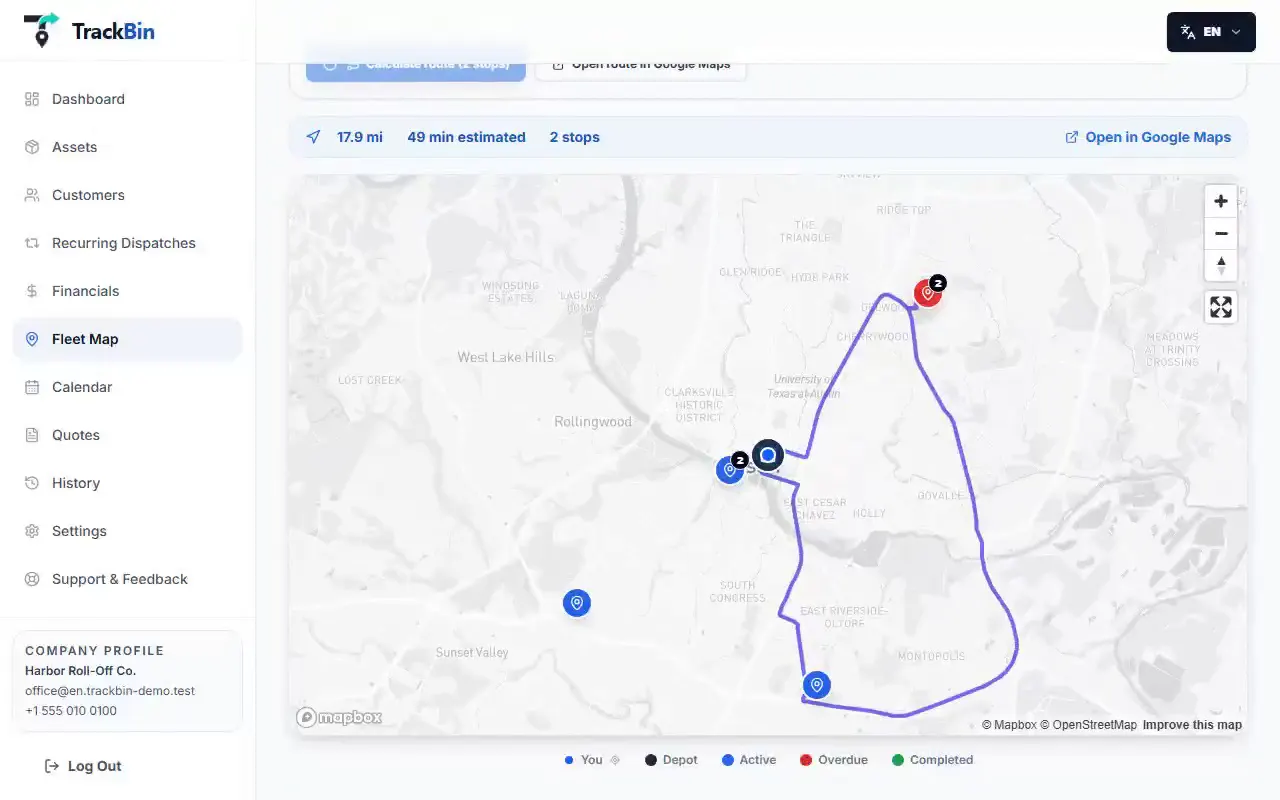
We follow RO 014 from the moment it leaves the yard until it comes back. Six stops, each with the screen that handles it.
You build the day's route in the order you choose, up to 25 stops, and TrackBin works out the drive and the time, there and back. With more than one yard, you pick which one each route leaves from and which one it returns to. The driver opens it in Google Maps.
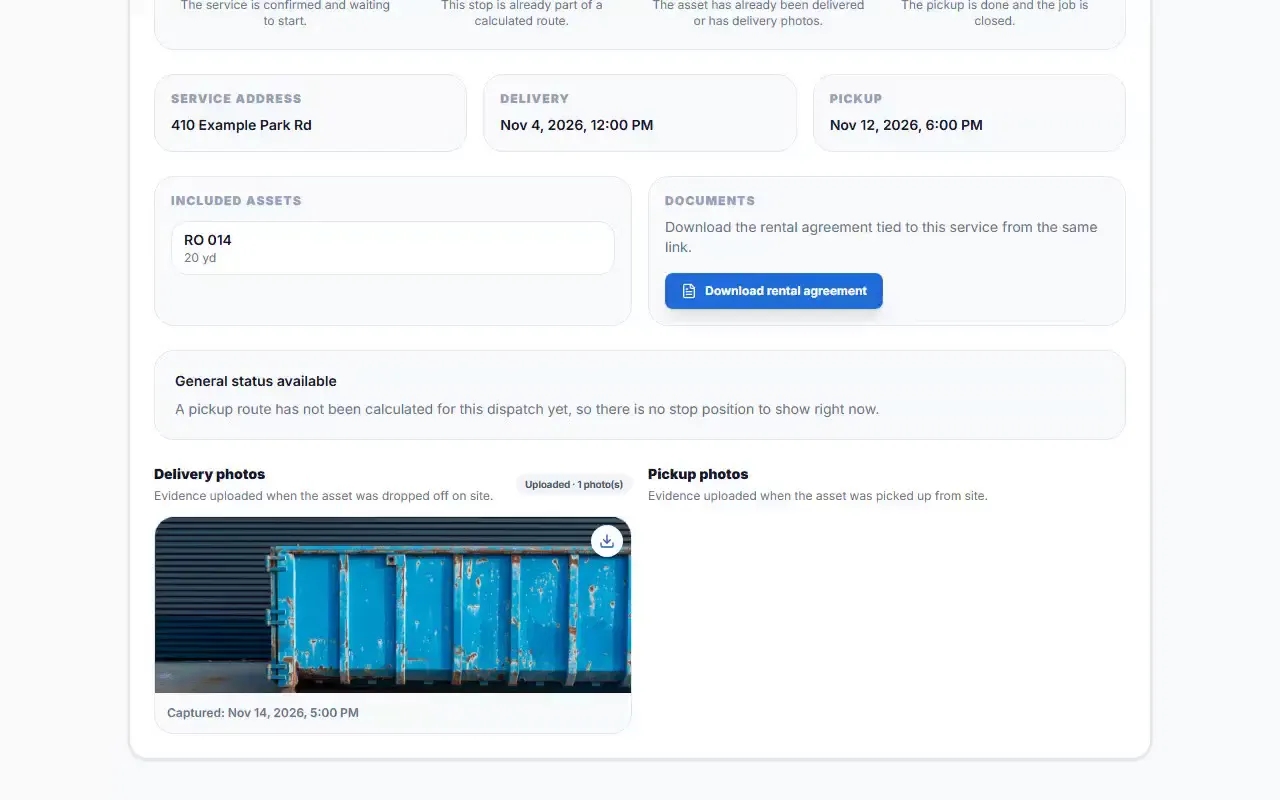
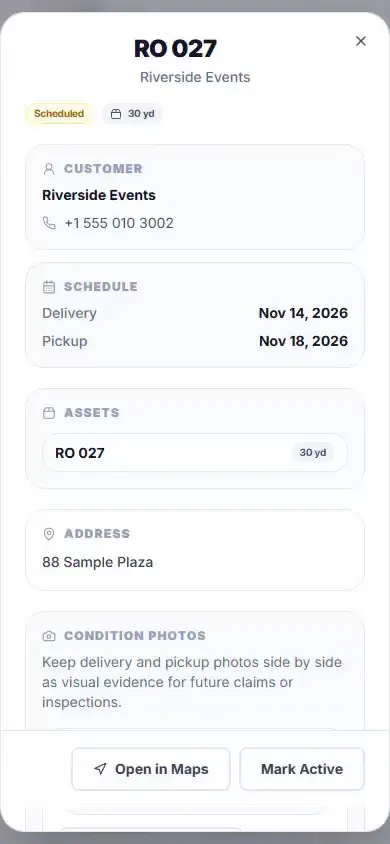
The driver takes the delivery photo and it is saved with date and time, for every dumpster. When someone complains about the curb or the gate, the photo is already on the dispatch.

Your customer gets the confirmation by email, with a link that opens without an account: the status, the estimated window and the photos, plus the contract to download. A reminder goes out before the delivery and before the pickup.
On the day it is due, RO 014 moves to the top of the board, in red, with the amount at stake. And an email lands in your inbox at the frequency you choose, so the pickup depends on nobody's memory.

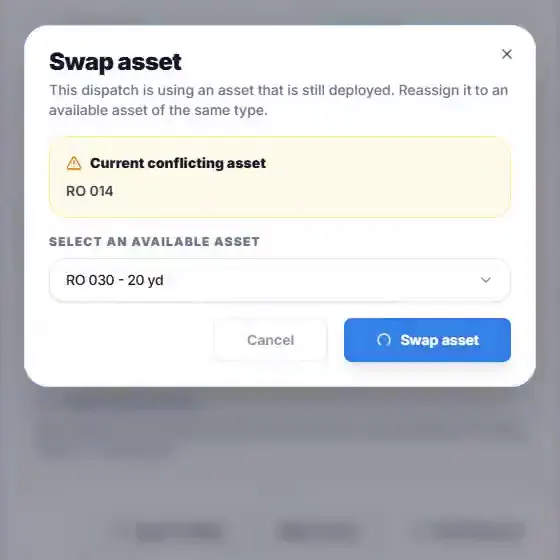
RO 014 is still on site and it had another delivery tomorrow. Tomorrow's dispatch shows the unit swap: you pick another dumpster that is free and the delivery goes out all the same.
With the pickup photo, the job moves into RO 014's history: who had it, from when to when, and the shape it came back in. The history also exports as CSV.

One dumpster, from the way out to the way back, recorded in the app with a sample company. It has captions.
No card needed to try it.
The route is half the job. The other half happens at the desk, and it is in here too.

Every day with its deliveries and its pickups, dumpster by dumpster. If a day is filling up, you see it before you promise another one.

TrackBin checks strong wind, heavy rain and storms at the address of every dispatch over the next 3 days and shows the risk on the dashboard.

The whole month, with a filter per dumpster: when each one was delivered and when it is due back.
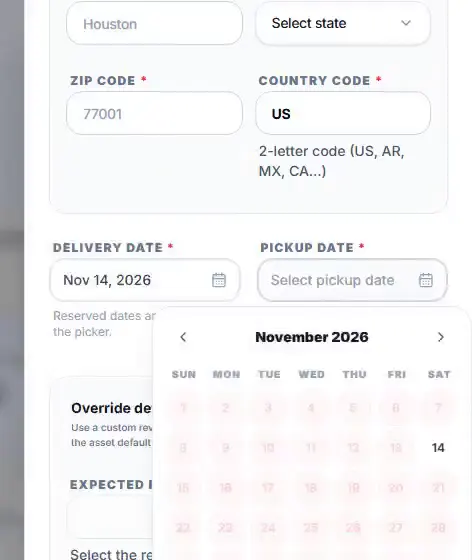
When you create a dispatch, the form shows the days that dumpster is already booked and leaves them out of the date picker.

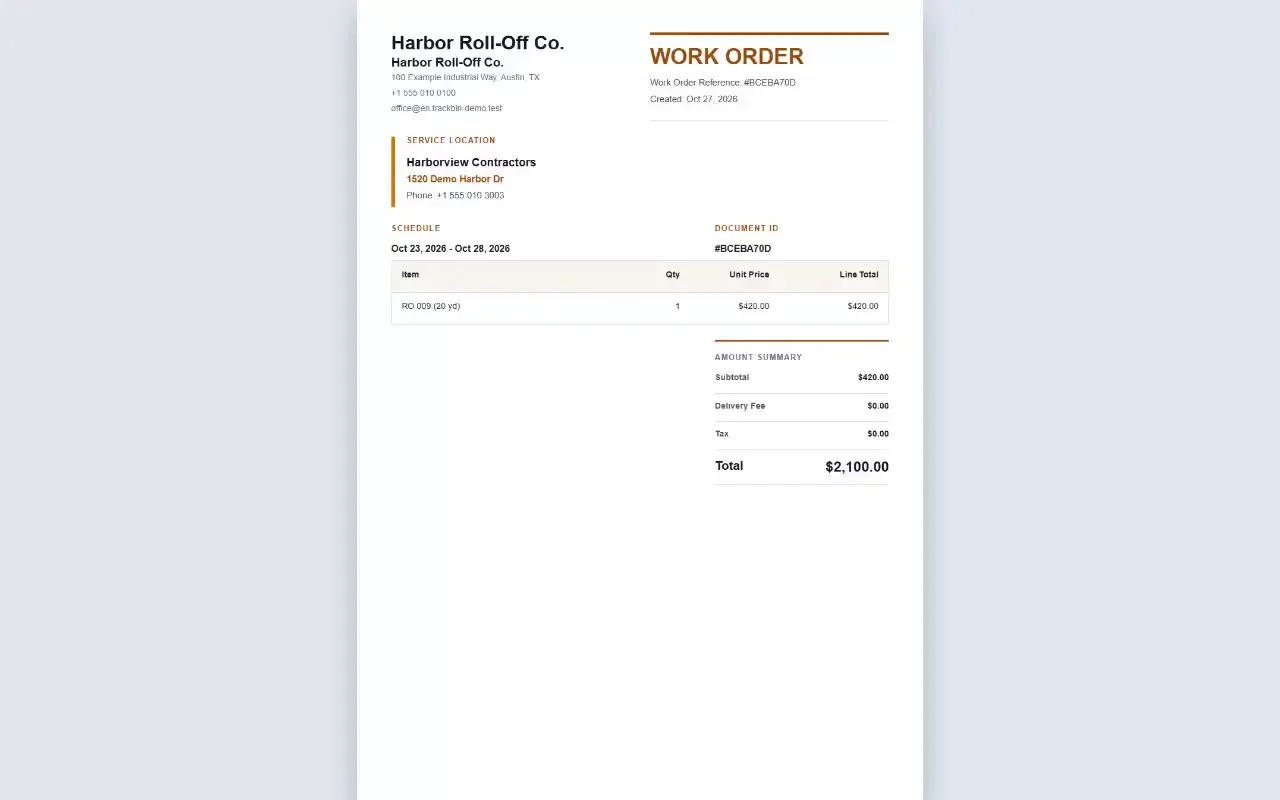
One delivery, one contract and one work order, and each dumpster keeps its own photos and its own history.
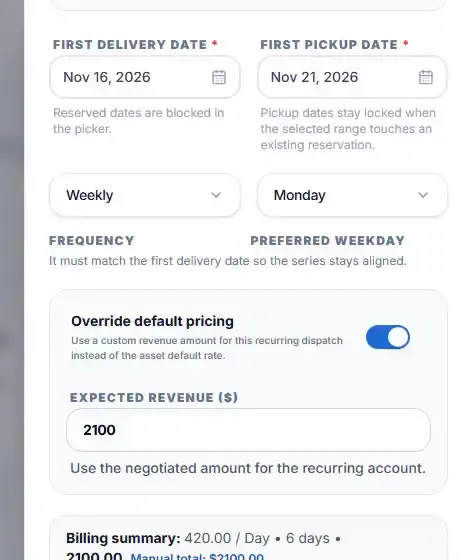
You set the rule once, with the day and the dumpster, and TrackBin creates the dispatches. If one clashes with another booking, it is not created and the rule waits for your review.

You enter the expiry date on the customer's record. TrackBin shows it when you build the dispatch and emails you 30, 15 and 7 days before it expires.
They come out of the dispatch with your logo, your terms, your taxes and your delivery fee, in English, Spanish or Portuguese.

Every dispatch works out its expected revenue from its dates and the dumpster's price, and Financials shows revenue, what is out on site and what is overdue.

You pick the period and the file comes out ready to send.
No card needed to try it.
Enter your numbers: what you charge per day and how many days a month a dumpster sits on a site without billing.
Recovering 3 days a month already pays for it.
The starting values are an example. Change them to yours.
I already run it on Excel or the whiteboard.
My drivers don't use apps.
I only have a few dumpsters.
My customer won't download anything.
We only show what each one publishes on its website, with a date and a source.
Source: CurbWaste's official website, checked on October 15, 2026.
Full comparison: TrackBin vs CurbWasteTrackBin
Or $890/year. 14 days free, no card.
The map shows every dumpster at the job site address of its dispatch, in its status color: overdue, active or done. It is the address you enter, not a tracker on the truck.
Yes. Every unit has its own size and its own price, per day or per hour, and the dispatch works out the expected revenue from the dates.
It moves to the top of the board as overdue, with the amount at stake, and you get an email at the frequency you choose. Your customer gets reminders before the pickup.
As many as you have. There is one plan, with unlimited dumpsters, users, drivers, customers and dispatches, and the price stays the same when you add units.
Email it to us and we load it for you, for free: your dumpsters and your customers are in without typing anything.
No. They sign in from the phone's browser with their own user, see the open dispatches, take the delivery and pickup photos and never see prices.
A link that opens without an account: the status of the dispatch, the estimated window, the photos with date and time and the contract to download. They also get the confirmation and the reminders by email.
Yes. You create a weekly or every-two-weeks rule with the day and the dumpster, and TrackBin creates the dispatches by itself. If one clashes with another booking, it is not created and the rule waits for your review.
No call center, no bots. When you write, the person who builds TrackBin answers, usually within one business day.
admin@trackbinapp.comNo card needed to try it.
RO 014 · 410 Example Park Rd · back today